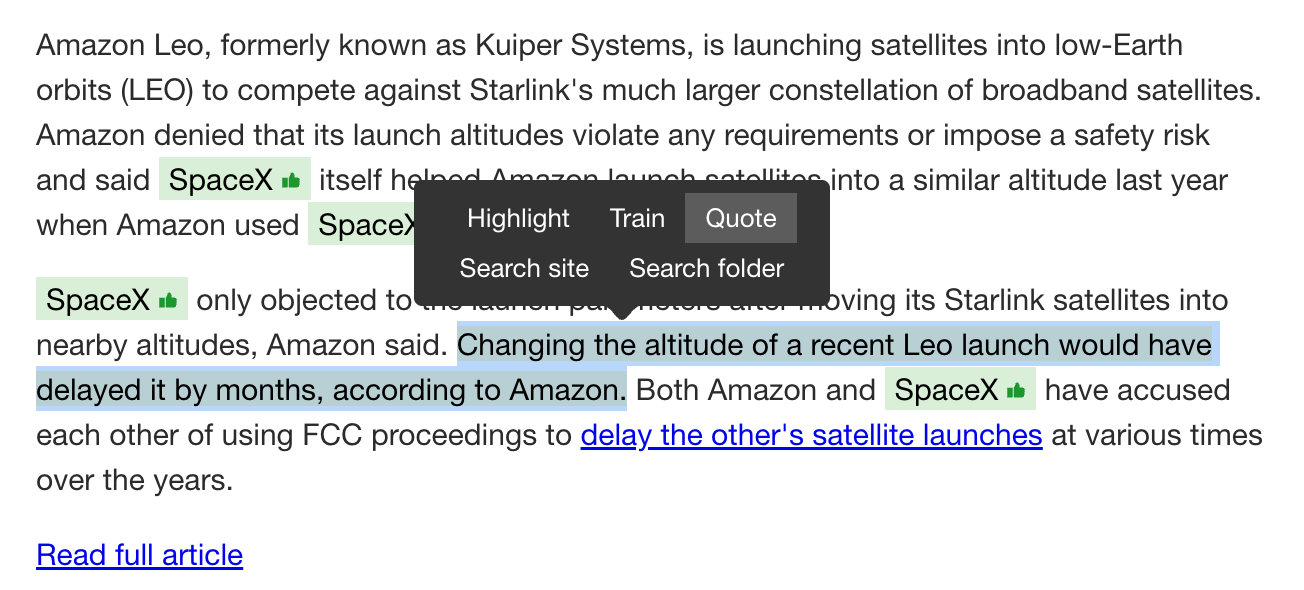
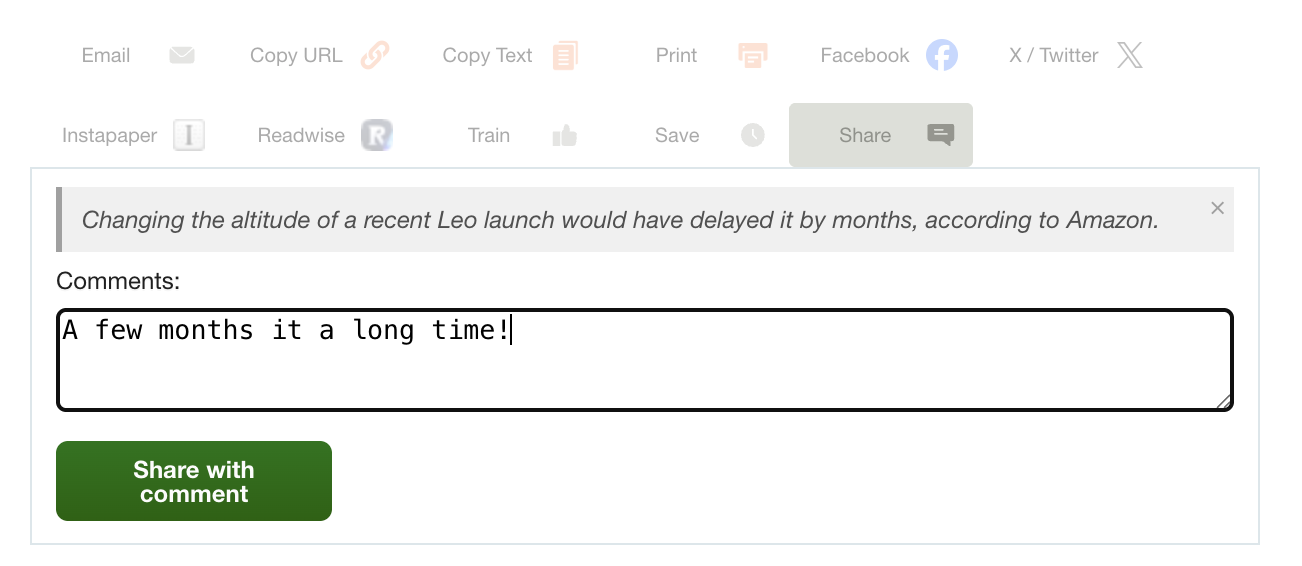
When you share a story on NewsBlur, sometimes the whole article isn’t the point. You want to call out a specific paragraph, a key finding, a sentence that made you think. Until now, you’d have to manually copy-paste text into the comment box and add your own formatting. Now you can select any text in a story, click Quote, and it drops into the share dialog as a styled blockquote, ready for you to add your own commentary underneath.
How it works
Select text in any story and a popover appears with the usual options: Highlight, Train, and Search. There’s now a new option: Quote. Click it, and the share dialog opens with your selected text rendered as a blockquote above the comment field.
Add your own comment below the quote, or just share the quote by itself. The share button updates to say “Share with comment” when there’s a quote or comment present. If you change your mind, click the × on the blockquote to remove it.
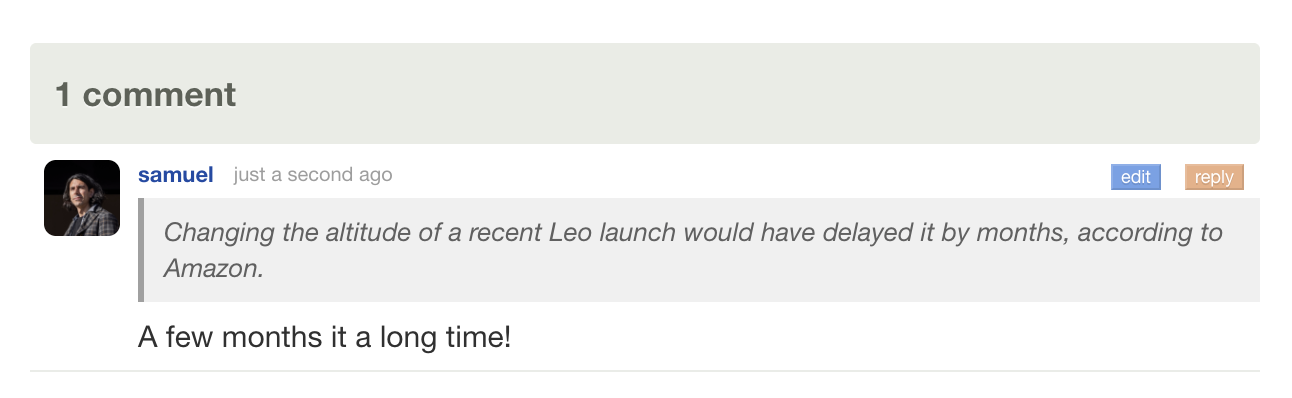
Once shared, the blockquote renders with a left border and italic styling in the comment thread, so other readers can see exactly what caught your eye before reading your take on it.
The quote feature works anywhere text selection is available: the story detail view, highlighted text, and search results. It’s available now on the web. If you have feedback or ideas, please share them on the NewsBlur forum.
NewsBlur has always had an API. Every feature in the web app, the iOS app, and the Android app runs through it. But APIs are for developers. Today I’m shipping three new ways to interact with your NewsBlur: a command-line tool that puts your entire NewsBlur in your terminal, an AI skill that teaches your agent every CLI command without eating your context window, and an MCP server that connects any MCP-compatible agent directly to your account.
Quickstart
CLI tool — install and log in:
uv pip install newsblur-cli
newsblur auth login
AI skill — install into Claude Code, Cursor, Windsurf, or any Skills-compatible tool:
npx skills add samuelclay/newsblur-cli-skill
MCP server — connect from Claude Code, Claude Desktop, Codex, or any MCP client:
claude mcp add --transport http newsblur https://newsblur.com/mcp/
All three require a Premium Archive or Premium Pro subscription. On first use, a browser window opens for OAuth authorization. Your token is stored locally and you can revoke access at any time.
CLI tool
Everything you do in NewsBlur, from your terminal. Full documentation is on the CLI feature page.
Read stories from feeds, folders, or everything at once:
newsblur stories list # unread stories
newsblur stories list --folder Tech --limit 5 # filter by folder
newsblur stories search "machine learning"# full-text search
newsblur stories saved --tag research # saved stories by tag
newsblur stories infrequent # rarely-publishing feeds
newsblur stories original 123:abc456 # fetch full article text
Get your daily briefing with AI-curated summaries:
newsblur briefing # today's briefing
newsblur briefing --limit 1 # just the latest
newsblur briefing --json# structured output
Manage feeds and folders:
newsblur feeds list                            # all subscriptions
newsblur feeds folders                         # folder tree with counts
newsblur feeds add https://example.com         # subscribe
newsblur feeds add https://blog.com -f Tech    # subscribe into a folder
newsblur feeds remove 42                       # unsubscribe
newsblur feeds organize move_feed --feed-id 42 --from News --to Tech
Take actions on stories:
newsblur save 123:abc --tag ai --tag research # save with tags
newsblur unsave 123:abc # remove from saved
newsblur read--feed 42 # mark feed as read
newsblur share 123:abc --comment"Worth reading"
Train your intelligence classifiers:
newsblur train show --feed 42 # view current training
newsblur train like --feed 42 --author"Name"# train a like
newsblur train dislike --feed 42 --tag sponsor # train a dislike
Discover new feeds:
newsblur discover search "machine learning"# search by topic
newsblur discover similar --feed 42 # find similar feeds
newsblur discover trending # trending feeds
Every command supports --json for structured output you can pipe to jq or use in scripts, and --raw for unformatted text. There’s also a global --server flag for self-hosted NewsBlur instances:
The CLI is great on its own, but it’s even better when your AI agent knows every command. The NewsBlur CLI skill teaches your agent the full command reference: every subcommand, every flag, every output format. Install it with one command and your agent can read feeds, search stories, train classifiers, and manage subscriptions on your behalf.
npx skills add samuelclay/newsblur-cli-skill
The npx skills add command works with any tool that supports the Skills standard: Claude Code, Cursor, Windsurf, and dozens more.
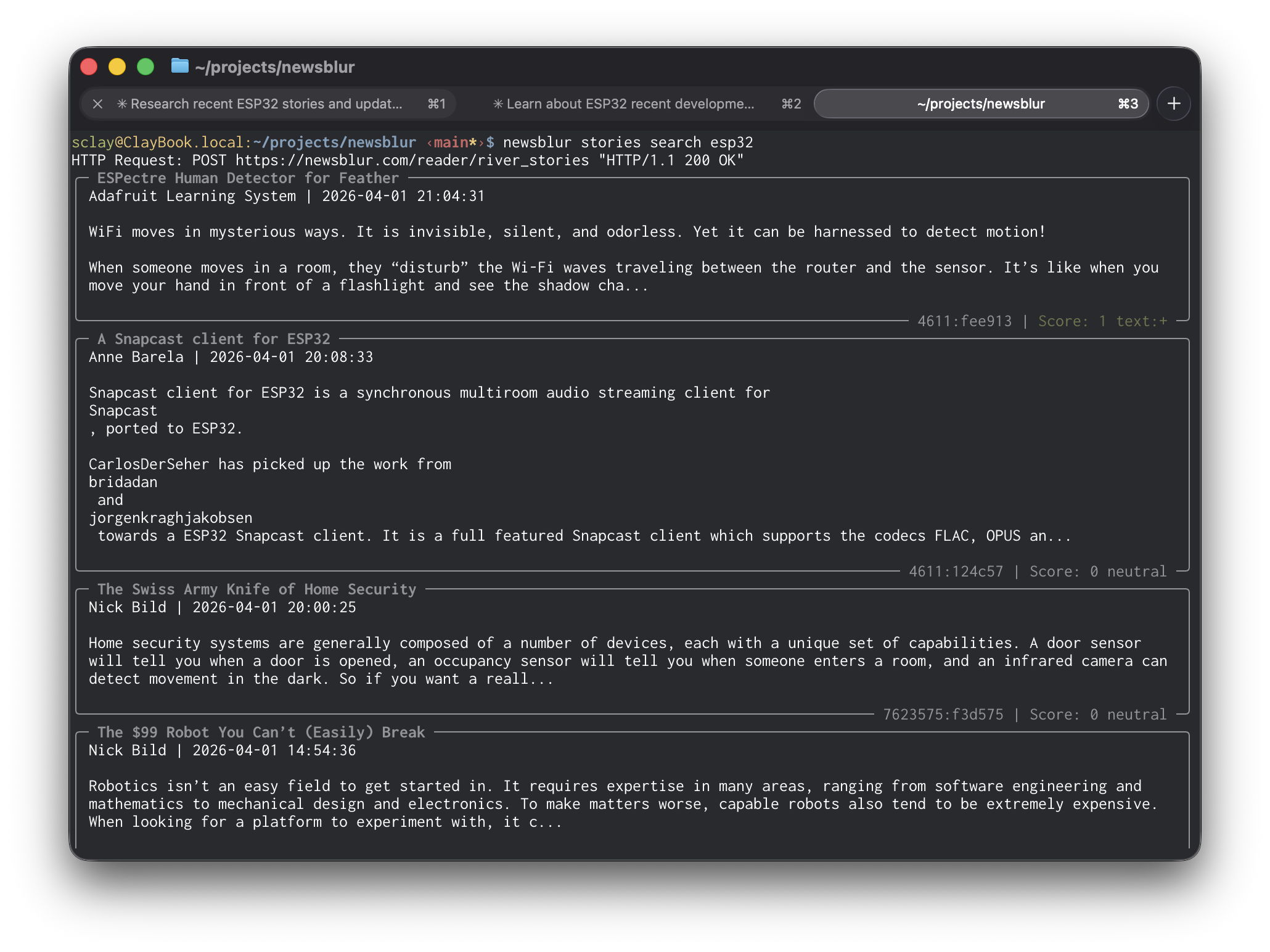
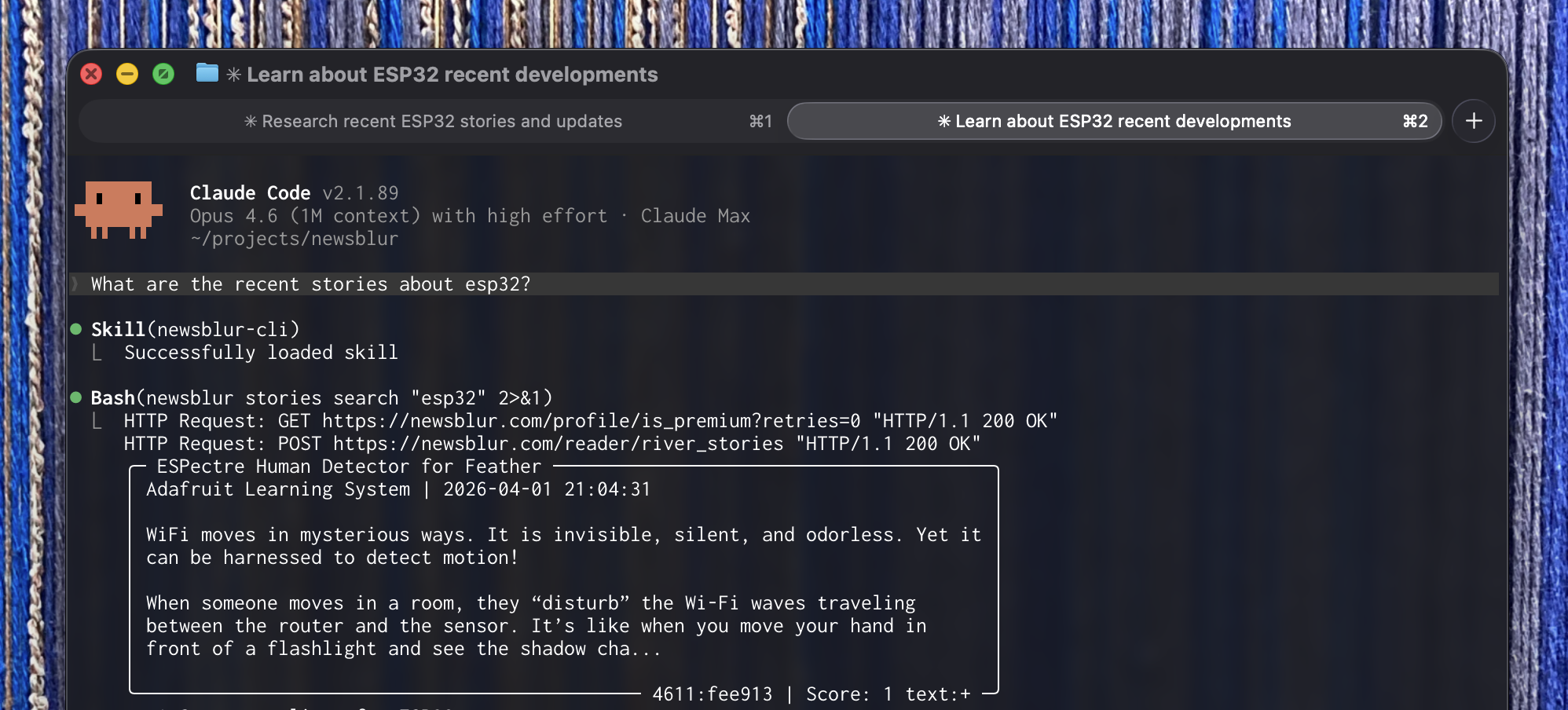
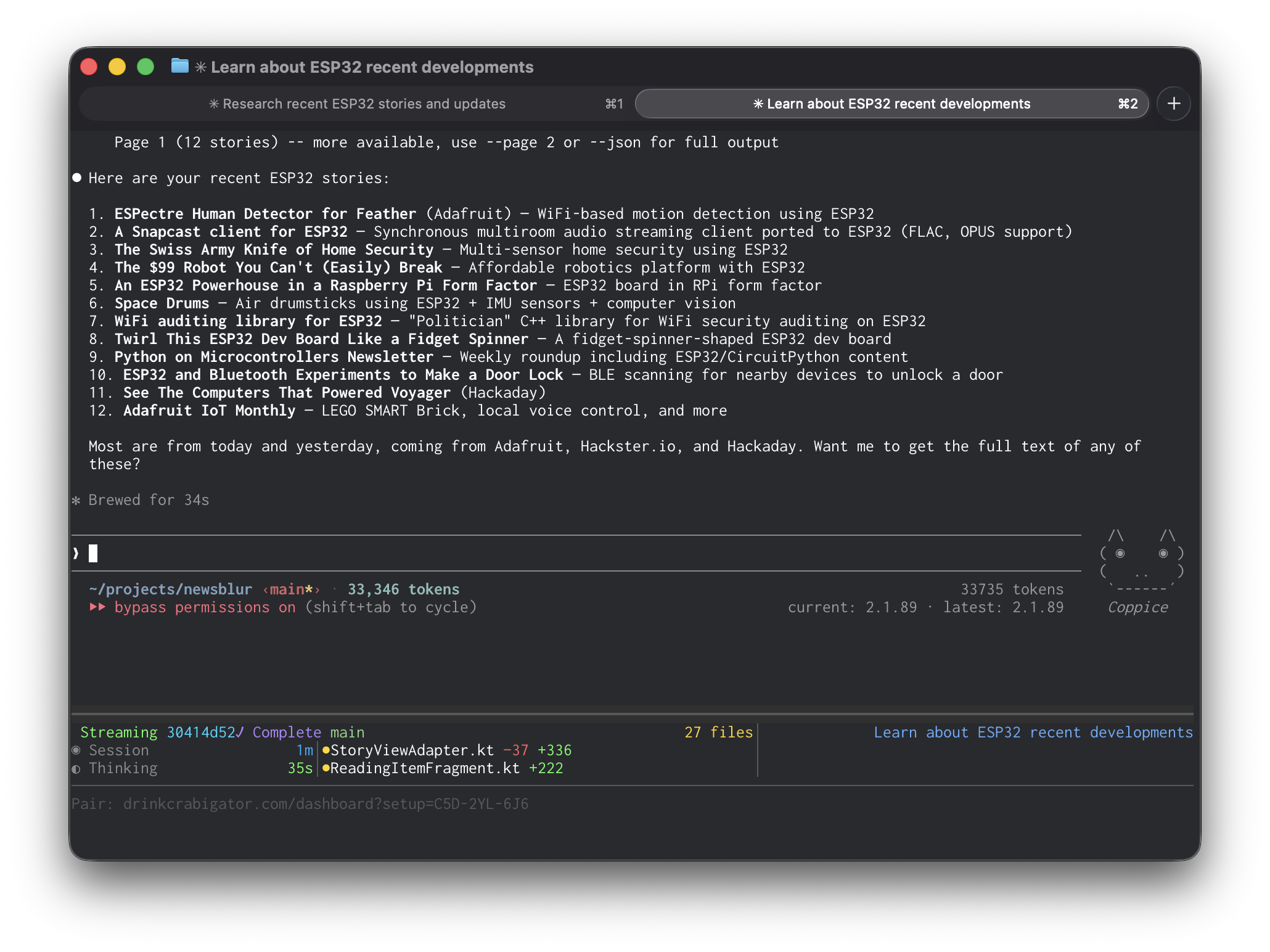
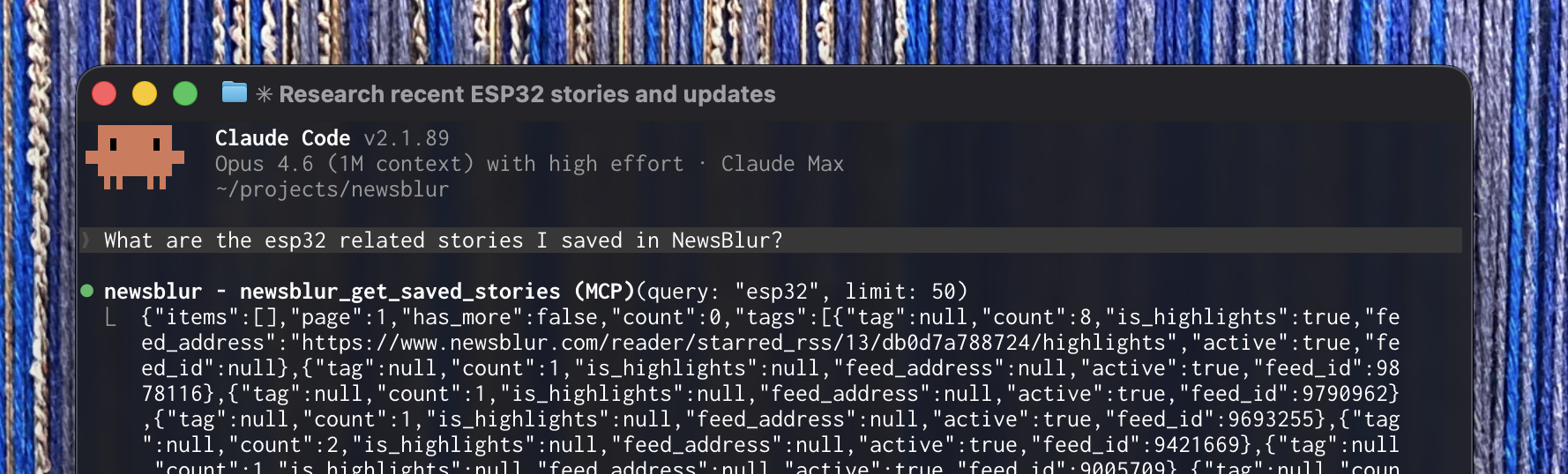
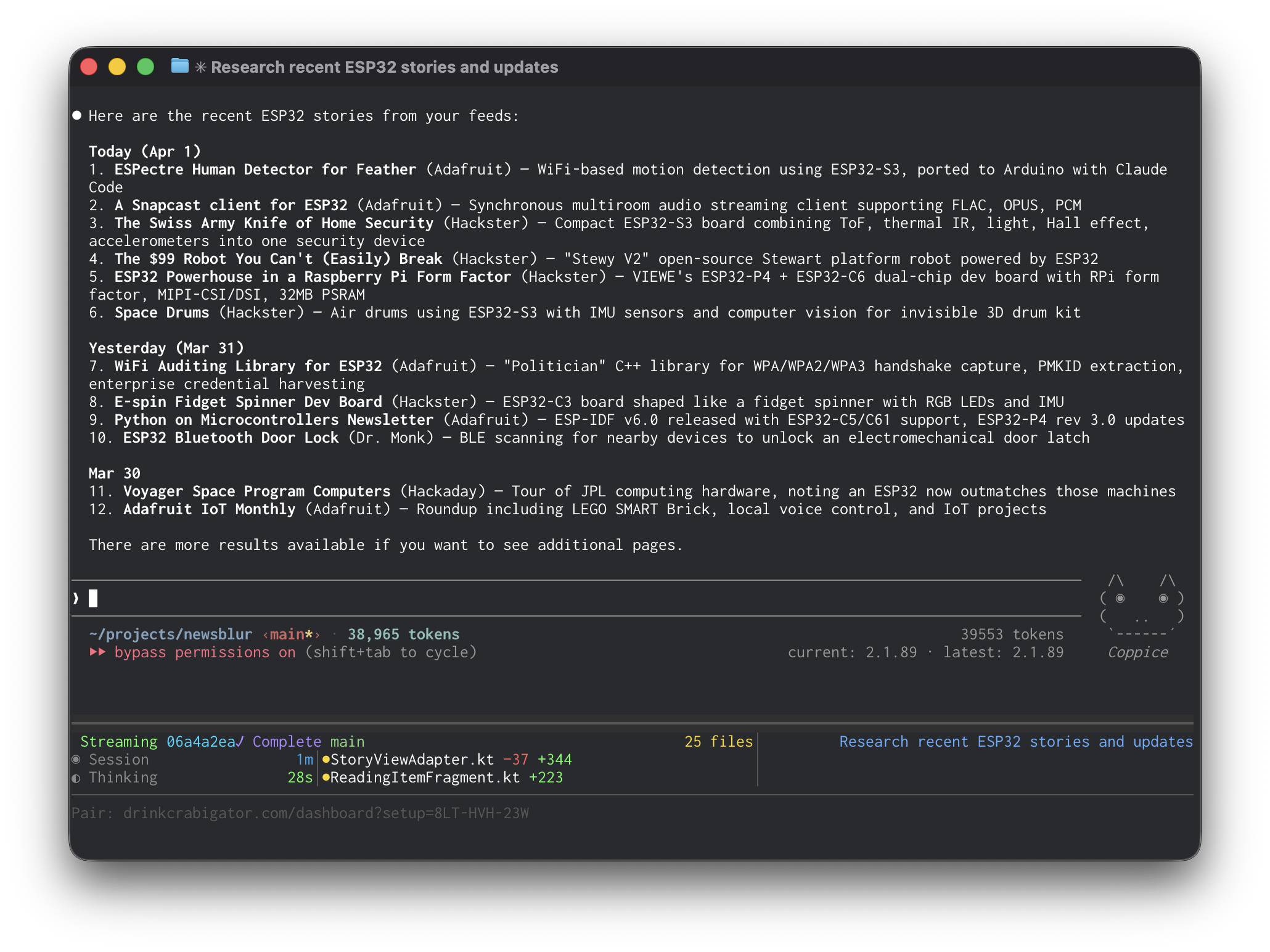
The skill has a major advantage over the MCP server for agents that support it: context efficiency. The MCP server returns raw JSON that lands in your agent’s context window. Ask for your saved ESP32 stories and you’ll burn through nearly 40,000 tokens on a single response. The skill runs the CLI instead, which returns clean, formatted text. Same query, same results, about a third of the tokens. In testing, the MCP server used 39,553 tokens for a saved stories query. The same query through the skill used 11,735.
If your tool supports skills, use the skill. If it only supports MCP, use the MCP server. If you just want to script your NewsBlur from the terminal, use the CLI directly.
MCP server
MCP (Model Context Protocol) is an open standard that lets AI agents connect to external tools and data. With the NewsBlur MCP server, Claude, Codex, Cursor, Windsurf, and any other MCP-compatible agent can read your feeds, manage your stories, train your classifiers, and organize your subscriptions.
The server exposes 22 tools that cover everything you do in NewsBlur:
Reading — List feeds and folders with unread counts. Load stories from any feed, folder, or all subscriptions at once. Filter by unread, focus, or starred. Search across your entire archive with full-text search. Pull the original article text from the source. Get your AI daily briefing. Browse stories from your rarely-publishing infrequent feeds.
Actions — Mark stories as read by hash, by feed, or by folder. Save stories with tags, notes, and highlights. Subscribe and unsubscribe. Move feeds between folders. Rename feeds and folders. Share stories to your Blurblog.
Intelligence — View your trained classifiers across all feeds. Train new likes and dislikes by author, tag, title, or text content. The full range of training levels is available, including the new super dislike that overrides all other positive scores.
Discovery — Search for new feeds by topic. Find feeds similar to ones you already follow. Browse trending feeds.
For Claude Code:
claude mcp add --transport http newsblur https://newsblur.com/mcp/
For Claude Desktop, add this to your claude_desktop_config.json:
Codex, Cursor, and Windsurf each have their own config format. Setup instructions for all of them are on the MCP Server feature page.
Readonly mode
Giving an AI agent access to your NewsBlur is powerful, but maybe you want to start with guardrails. The CLI has a readonly mode that blocks all write operations: no saving, no sharing, no training, no subscribing, no marking as read. Your agent can read your feeds and search your stories, but it cannot change anything.
newsblur auth readonly--on
With readonly on, any write command returns an error instead of executing. The agent sees your data but cannot touch it.
The important part is what happens when you turn it off. Disabling readonly mode logs you out and requires you to re-authenticate in the browser:
newsblur auth readonly--off# "You have been logged out and must re-authenticate."
newsblur auth login
This is deliberate. An AI agent cannot silently toggle readonly off and start making changes. Only a human sitting at a browser can re-authorize write access. If you hand the CLI to an agent and want to be sure it stays read-only, it will.
Availability
The CLI, AI skill, and MCP server are available now for Premium Archive and Premium Pro subscribers. See the MCP Server and CLI Tool feature pages for full documentation.
If you have ideas for new tools, workflows, or improvements, please share them on the NewsBlur forum.
I remember a surreal moment about twenty years ago, which felt like the beginning of something bad, and it was.
I was at a bowling alley with some friends, and a few people in our group were talking about Facebook. I knew what it was but had no interest in it. Then one of them turned to me and said, “There’s lots of pictures of you on Facebook!”
This kind of stunned me and I didn’t know what to say. I hadn’t joined this website but somehow I was one of its features.
A year later all of us were using it. It was exciting at first, because it seemed to give us more access to the people in our lives. We could post photos, make plans, and stay connected to a wider circle of people.
I should note for younger readers that the term “people” at that time only referred to real, physical beings: persons with bodies that walked and drove around and did things. Having friends largely meant physically traveling to the same apartment, bowling alley, restaurant, or movie theater, positioning our bodies amongst each other in this physical space, and interacting using our faces and voices and hearts. The part of your life that consisted of this type of physical activity was called social life.
Social media was meant to facilitate this thing called social life. Facebook’s original purpose was to keep you in touch with people who would otherwise fall out of your social circle, namely people you went to school with.
It didn’t really do that. It mostly became a thing to do on your computer by yourself. Within a few years, social media came to be seen as a sort of processed-food version of social life: convenient, low-quality sustenance that should not make up most of your diet. It still seemed like food though, just crappy food.
Should be no more than 80% of weekly intake
I’ve been complaining about social media forever by this point, and so has everyone else. But a recent effort to actively rebuild my social life has revealed something about how these two things relate. Social media isn’t a cheap and inadequate facsimile of social life; it’s its exact opposite. It isn’t worse than social life at fostering personal connection, it undoes personal connection and reverses our social skills.
This is because social media doesn’t really allow you to interact with people. People are living beings with beating hearts and live emotions. Social life has always been about engaging in the immediate physical presence of such beings. Social media avoids exactly that part, while allowing you to exchange information and symbols of approval.
6 indications you would be loved if this were real life
In a real social interaction, you’re entangled with the other person, physically and emotionally, in real time. Eyes are looking, faces are expressing, and emotions are humming, one hundred percent of the time. It’s nothing like browsing content or sending off messages — it’s much more akin to riding a horse. Moment-to-moment care is required. It can take you to all kinds of new places, but it has its hazards. You have to stay alert, watch your footing, and keep your heart open to this other living thing you’re entangled with. Doing it badly can lead to a nasty upset or even physical danger.
Online, you don’t interact with living beings. You interact with filtered bits of data issued by unseen, presumably living beings – messages, pictures, links, memes. Each party communicates like a paranoid medieval king, who sends out heralds to convey his latest position, then raises the drawbridge again.
My good friend, appreciating my clever remark
Real interaction isn’t information exchange. It involves performing a host of specific, right-brained skills, all at once – how to get someone’s attention in a way agreeable to them, how to explore their preferred topic, how to take offense gracefully, where to put your eyes and your body, how to know when to unpack and when to summarize, and a lot more.
It all must be done live, with an audience. The human being is built for this sort of thing, but it still has to be learned by doing. The voice, face, body, and heart can work together the way a competent driver’s hands, feet, and eyes operate the steering wheel, gas pedal, turn signal, and mirror as though they’re one. When it’s really clicking, it’s a beautiful thing.
And none of it resembles in any way what you do when you thumb through an app. Social media is just a kind of solitary data processing game. You can exchange information while staying safe from the delicate challenges of real interaction. You can issue your opinions without the heat of real eyes looking at you. You can feel heard, and engage with “the world,” without ever having to account for the immediate presence of another person’s heart.
Built for something very different
I think that’s why social media remains somewhat irresistible to many of us. The human being has powerful cravings for certain social rewards – approval, status, reassurance — but would like to have them without the hazards of real social life. Mucking up a real interaction is painful, and if your skills are poor, improving them is a major trial. Social media walls off all that trouble, while allowing some of the low-level rewards to come through, in the form of likes, stars, hearts, and other fake internet points. You can enjoy these scraps of approval while the wall shields you from the heat and danger of real-time entanglement with another human being.
These platforms now offer filters to make sure only the agreeable bits of other people come through. If someone gets annoying, you can mute them. You can filter out messages containing particular words. The algorithm will learn your intolerances, and show you only the parts of others that require less of your empathy and understanding. It’s no wonder that many people pride themselves on having zero tolerance for differences of political opinion — that degree of intolerance is actually possible now.
Policy towards opinions other than mine
I’m sure some people have figured out how to use this technology to aid social life. But I think most of us have ended up using it unwittingly to the exact opposite effect, as protection against social life.
I guess what I’ve discovered, or re-discovered, is that social life was always a matter of physical action. It’s about getting your body into proximity with other bodies, of physically entering the voice- and heart-radius of other people. It involves things like dressing in front of a mirror, finding parking, entering buildings, shaking hands. It’s sitting across from people in living rooms, restaurants, and church basements. This sounds so obvious typing it out, but somehow I forgot for about twenty years.
***
Want to quit something?
Raptitude has a “Renunciation Club.” We give things up one month at a time, and see what happens.
Take a break from TV, drinking, complaining, social media, eating M&Ms in the car – anything you want to step away from for a bit, for any reason.
Keep us posted on your progress. Get support. Support others.
For nearly five years, Arturo Fuente has been fighting with dabX over the company's logo. Fuente says it's an X, dabX says it's a stick figure with a circle on top.
If the DNS entry in your hosts file is present, your browser will
therefore connect to their server, so they know you have Creative
Cloud installed, otherwise the load fails, which they detect.
They used to just hit http://localhost:<various ports>/cc.png
which connected to your Creative Cloud app directly, but then
Chrome started blocking Local Network Access, so they had
to do this hosts file hack instead.
They didn’t have to do this, of course. In fact, quite obviously, they definitely should not be doing this. Adobe is just a third-party developer, no better, no more trusted, no more important than any other. Imagine if every piece of software on your computer added entries to your /etc/hosts file. Madness. Adobe should be ashamed of themselves. Adobe used to be a bastion of best practices for developers to follow. Now their installer/updater is indistinguishable from malware.
 Log in